

Getting Started
Everything you need to install Portility and start using it, from setup to your first ported chat.
Portility is a browser extension that helps you move AI conversations between platforms, get a second opinion on any AI response, and carry your custom instructions everywhere you chat.
System requirements:
- Google Chrome
- A Google account (Gmail)
- You do not need paid accounts for the AI platforms, but some do require you to create a free account.
Supported platforms:
- Claude (claude.ai)
- ChatGPT (chatgpt.com)
- Gemini (gemini.google.com)
-
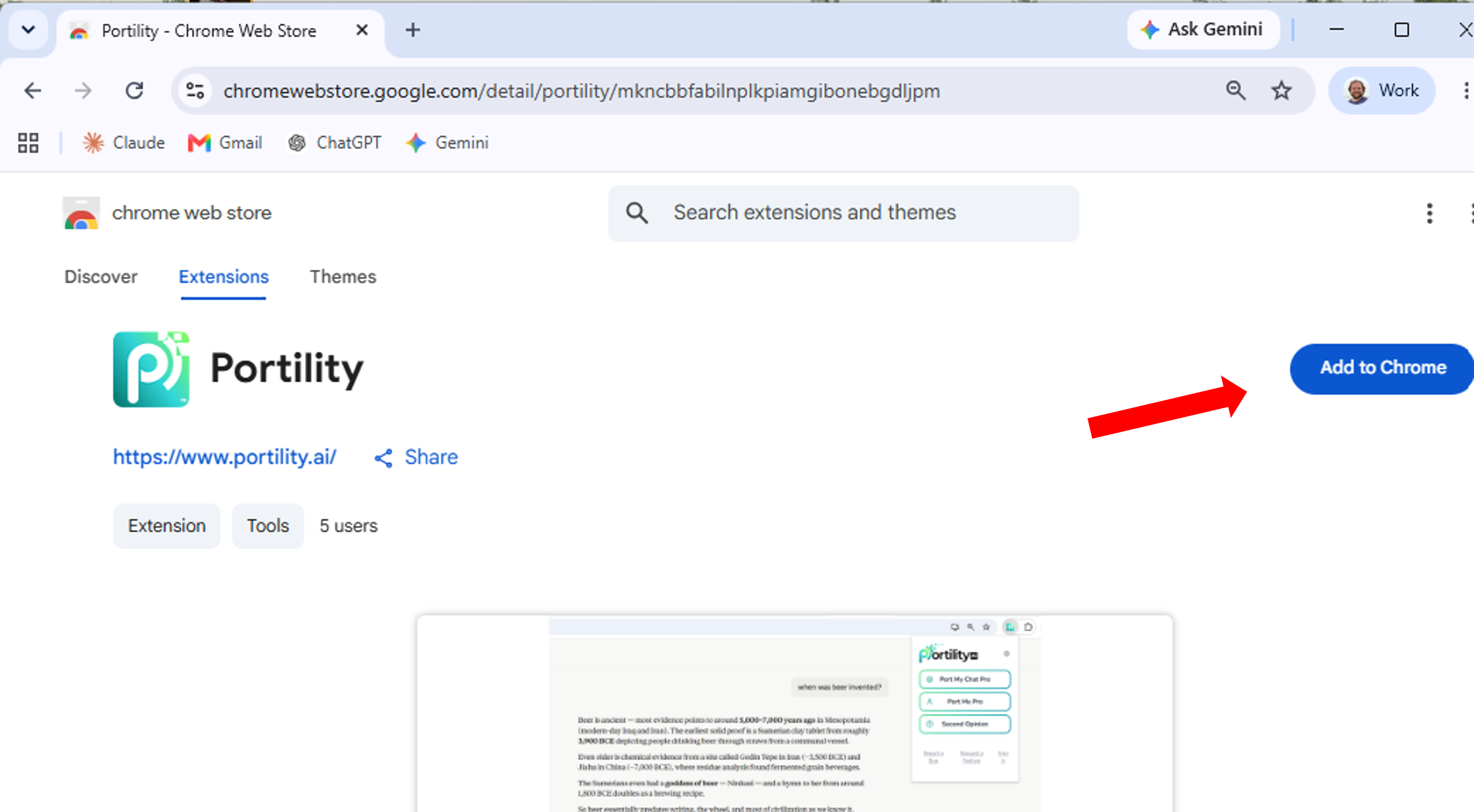
Install Portility from the Chrome Web Store.
-
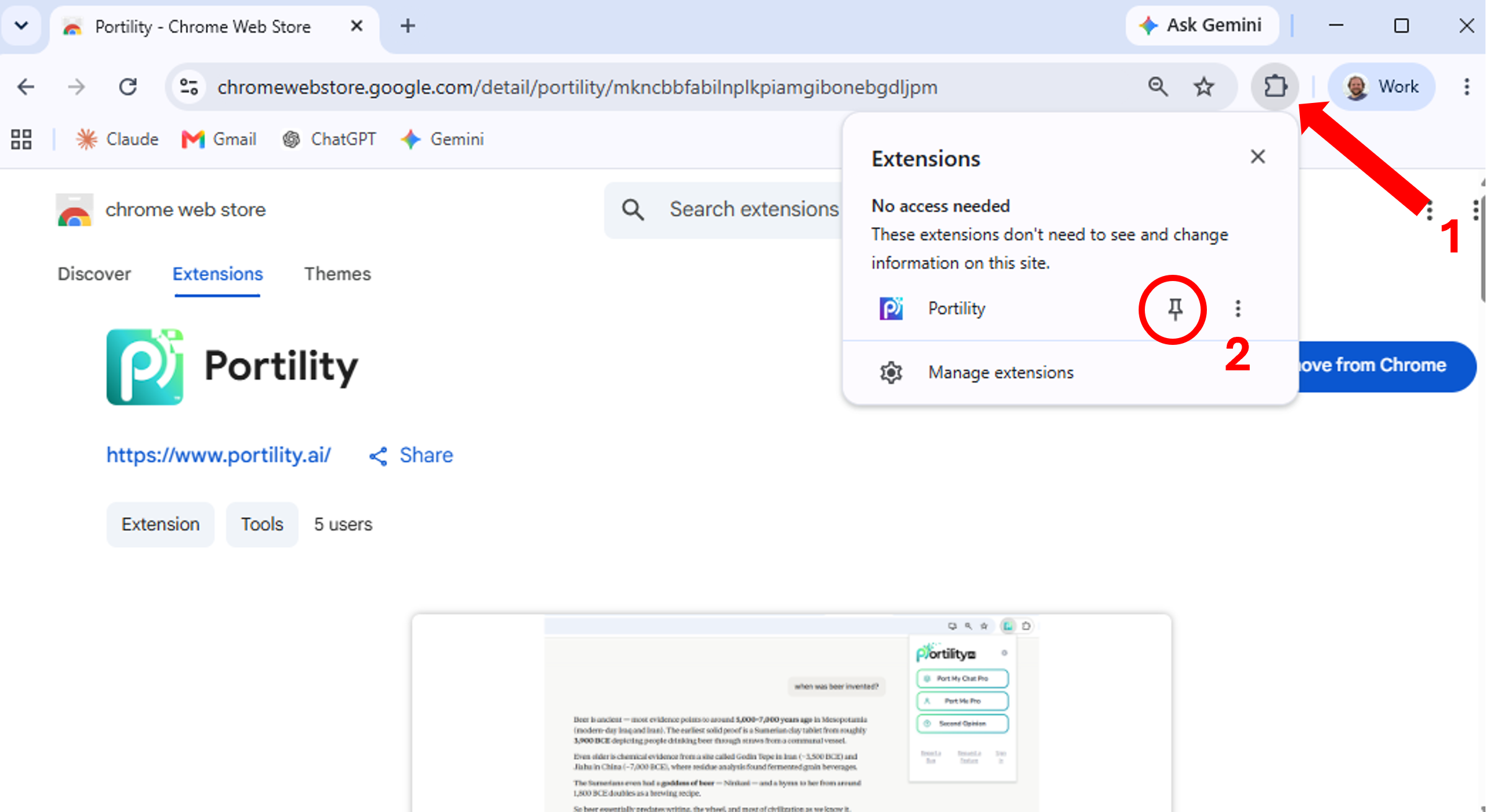
Pin Portility to your toolbar so it's always one click away: click the puzzle-piece icon in Chrome's toolbar, find Portility in the list, then click the pin icon next to it.
-
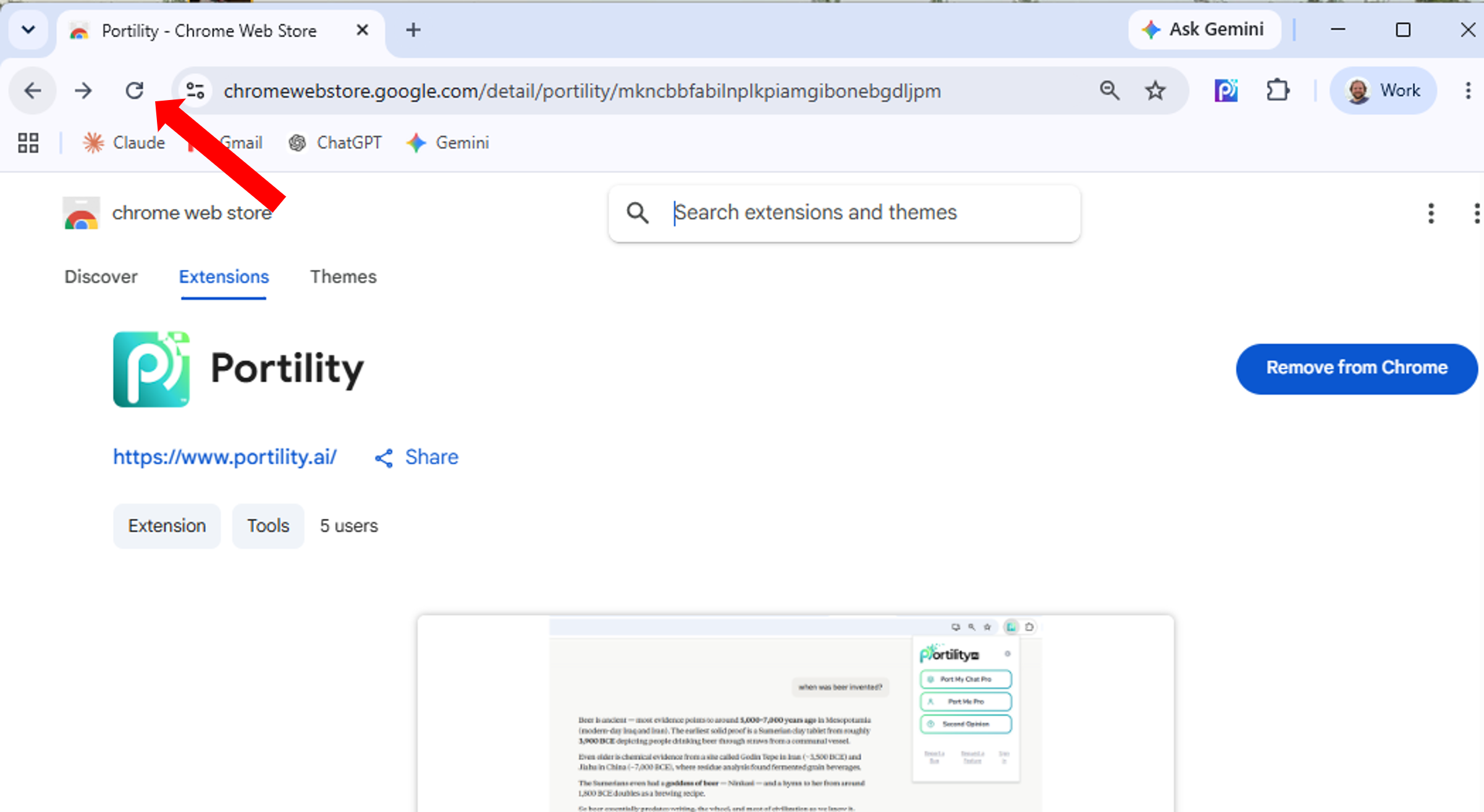
Refresh your browser so Portility can fully load.
-
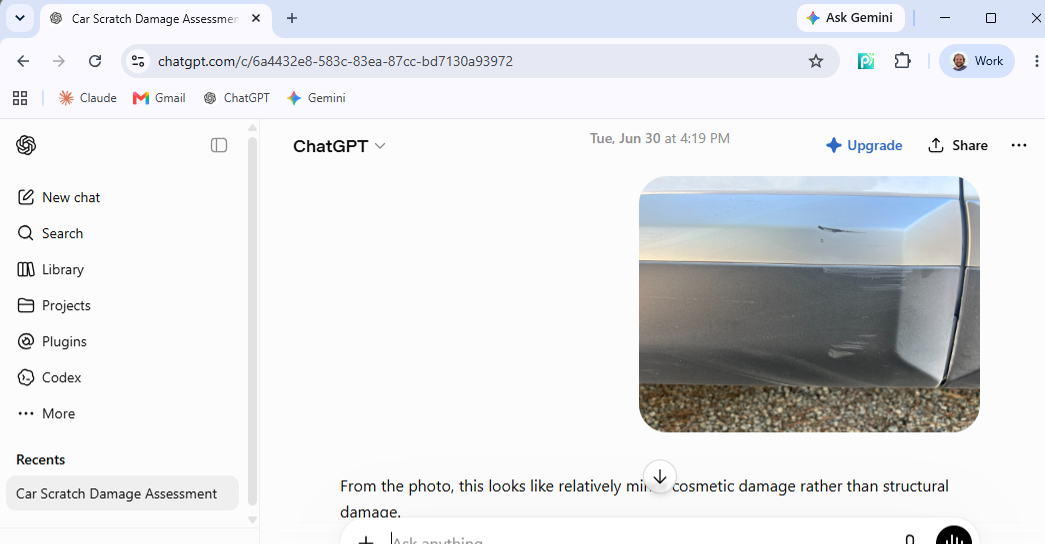
Go to a supported platform (Claude, ChatGPT, or Gemini) and open or start a conversation.
-
Click the Portility icon in your toolbar to open the popup and start using the tools.
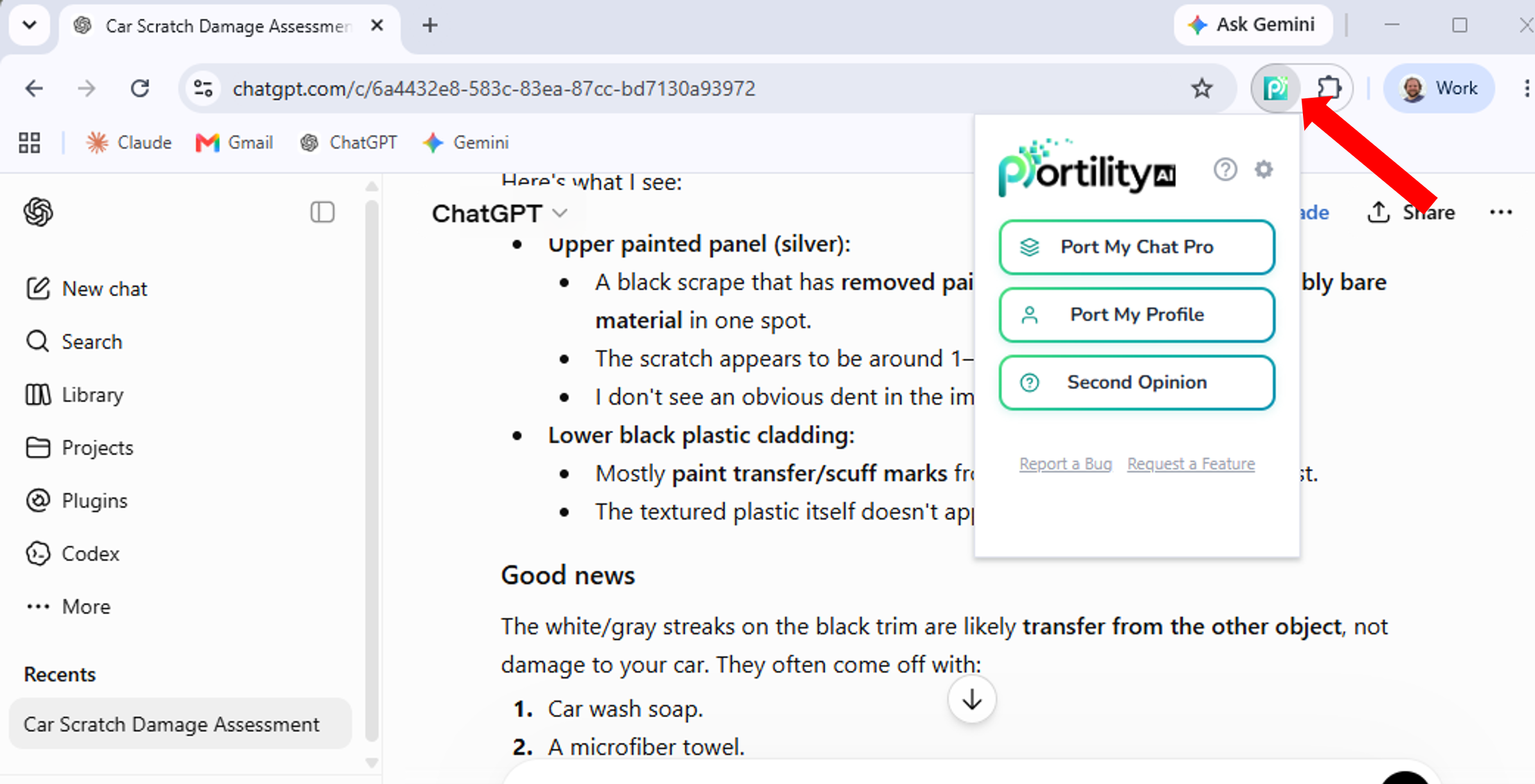
First time using Portility? You'll be asked to sign in with your Google account. This is required to unlock all features and only happens once.